Bluetooth Pro Controller: Hall Effect Sticks + Vibration
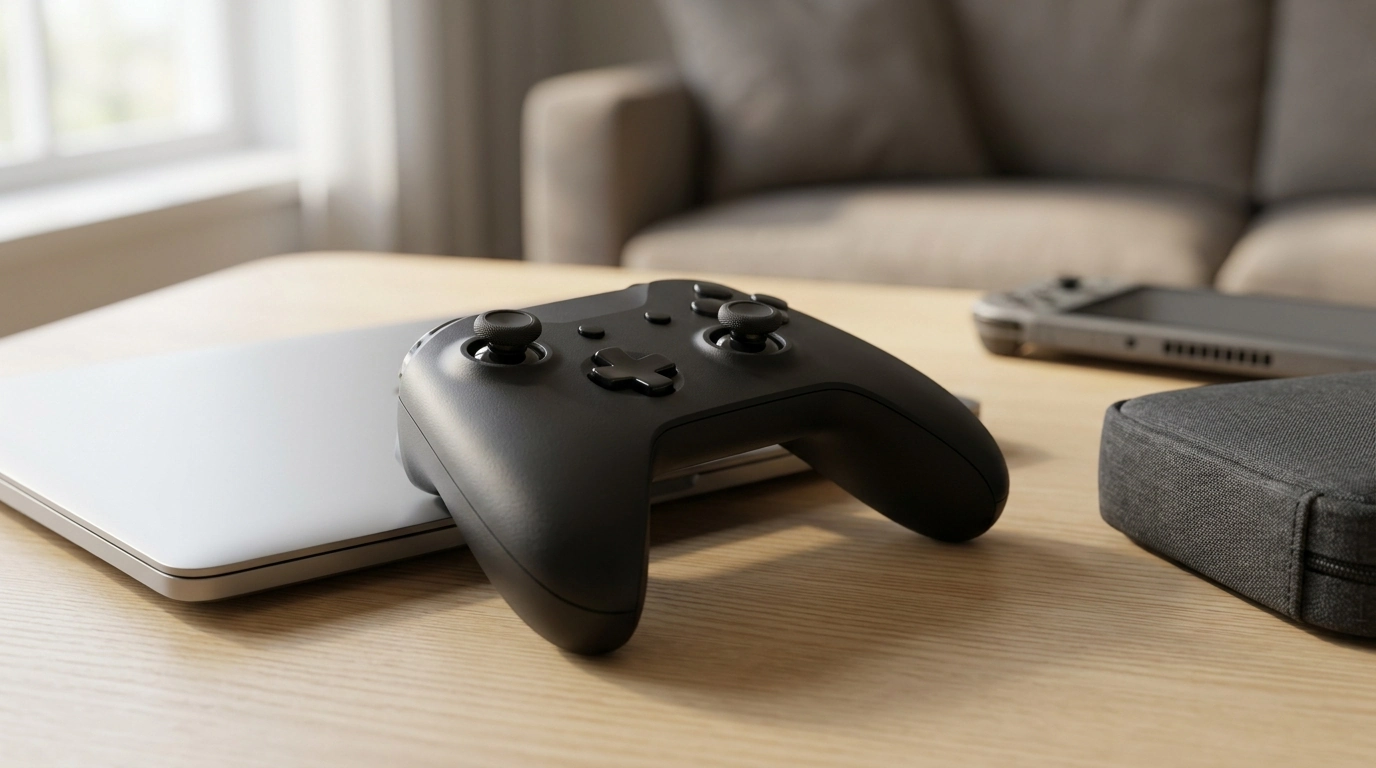
Wireless Bluetooth Pro Game Controller with Hall Effect Joysticks & Vibration
A pro-style wireless controller can make a bigger difference than most upgrades: steadier aiming, more consistent movement, and better comfort over long sessions. This model combines Bluetooth wireless play with Hall effect joysticks (designed to reduce drift over time) and built-in vibration for more tactile feedback, making it a practical pick for everyday gaming and travel setups.
What Makes This Controller “Pro-Style”
“Pro-style” usually isn’t about flashy add-ons—it’s about getting the fundamentals right so inputs feel reliable in every match and every genre. With Bluetooth connectivity, drift-resistant stick technology, and vibration feedback, this controller is built around the features most players actually notice day to day.
- Wireless Bluetooth connection for cable-free play
- Hall effect joysticks designed for improved longevity and drift resistance compared with traditional potentiometer sticks
- Vibration feedback for impacts, road texture, and in-game cues
- Layout and grip intended for longer sessions with less hand fatigue
- A budget-friendly price point without sacrificing core features
If you’re ready to upgrade from a basic pad, start with the Wireless Bluetooth Pro Game Controller with Hall Effect Joysticks & Vibration and dial in your settings once—then let the muscle memory build.
Hall Effect Joysticks: Why They Matter for Precision
Hall effect sensing reads joystick movement using magnetic field measurement instead of rubbing a contact across a resistive track. In plain terms: fewer wear-related inconsistencies over time and a better chance of keeping a stable center point, which is the foundation for predictable aiming and smoother camera control. For a quick technical overview of the underlying effect, see Encyclopaedia Britannica’s Hall effect explanation.
- Hall effect sensing reduces contact-based wear that can contribute to inconsistent readings
- A steadier center can help with fine aim corrections and controlled strafing
- Particularly helpful for shooters, racing games, platformers, and action RPGs where micro-adjustments matter
- Check device settings for dead zone behavior and calibrate if your platform supports it
- If a game feels “twitchy,” slightly increasing the in-game dead zone can smooth inputs without making controls feel sluggish
Hall Effect Sticks vs. Traditional Sticks (Quick Comparison)
| Feature | Hall Effect Joysticks | Traditional Potentiometer Joysticks |
|---|---|---|
| How movement is read | Magnetic field sensing | Physical contact on resistive track |
| Wear over time | Lower mechanical wear on sensing element | Higher wear on contact surfaces |
| Drift risk | Generally reduced when properly implemented | More common with wear and debris |
| Consistency | Often steadier center and smoother response | Can degrade as components wear |
| Maintenance impact | Less dependent on contact cleanliness | More sensitive to dirt and wear |
Stick drift can still happen for a variety of reasons, but the move toward magnetic sensing is one of the more meaningful hardware changes in modern controllers. For general background on why drift happens (and why repairs often focus on the stick module), iFixit’s articles are a helpful starting point: iFixit News.
Wireless Bluetooth Connection and Compatibility Basics
Bluetooth controllers are popular because they travel well and keep your setup clean—no cable across the room, no USB port permanently occupied. Bluetooth is defined by an industry standard (see the Bluetooth Core Specification), but real-world performance still depends on distance, interference, and the quality of your receiving device.
- Bluetooth pairing is ideal for living-room setups, handheld play, and laptops
- For best results, keep line-of-sight to the receiving device and avoid heavy interference in crowded 2.4 GHz spaces
- If input feels delayed, move closer, reduce obstacles, or disconnect unused Bluetooth devices
- Some platforms provide controller configuration screens for button mapping and vibration tuning
- On PC, check whether a game expects a specific input standard and select a common controller profile where available
Controls, Ergonomics, and Everyday Comfort
Comfort is performance. A controller that fits your hands well helps you stay consistent in the last hour of a session, not just the first ten minutes. A pro-style grip shape can improve leverage for triggers and reduce thumb strain when the right stick is constantly in motion (camera control, quick turns, or tracking targets).
- Grip shape supports longer sessions with less hand fatigue
- Stick tension should feel controlled, not “floaty” around center
- Button placement should allow fast swaps between face buttons, bumpers, and triggers without shifting your grip
- For long sessions, slightly lower vibration intensity to keep feedback while reducing fatigue
- If hands cramp during action games, rest index fingers naturally on triggers while middle fingers support the rear grip
If your gaming area is also a shared space—especially with pets—building a comfortable corner can help you stay focused. For a cozy companion setup nearby, the Cozy Honey Pot Cat Bed is an easy add-on that keeps a lounging cat from reclaiming your chair mid-match.
Vibration Feedback: When It Helps (and When to Dial It Back)
Setup Checklist and Troubleshooting Tips
FAQ
Do Hall effect joysticks completely prevent stick drift?
No. Hall effect designs typically reduce wear-related drift because the sensing is magnetic rather than contact-based, but calibration, firmware, and mechanical tolerances still matter. If drift appears, recalibrate, review dead zone settings, and keep platform drivers/firmware updated.
Why does Bluetooth feel laggy sometimes, and how can it be improved?
Lag is commonly caused by distance, obstacles, interference in crowded 2.4 GHz environments, low controller battery, or a weak Bluetooth adapter (especially on PCs). Move closer with clearer line-of-sight, disconnect unused Bluetooth devices, and ensure both the controller and receiving device are up to date.
How can vibration be adjusted or turned off?
Many platforms offer system-level vibration controls, and most games include their own vibration intensity settings. Lowering intensity can improve comfort and battery life, and turning it off can help keep aim steadier in competitive play.















Leave a comment